

File size: 41,823 Bytes
76d1eaf de398b7 615f794 de398b7 fe8e9b5 d828b13 5c2edbd d828b13 0c8f366 d828b13 09ced71 d873458 09ced71 5c2edbd 09ced71 d828b13 5c2edbd c63245c 09ced71 5c2edbd 09ced71 5c2edbd 09ced71 c63245c 09ced71 5c2edbd 09ced71 c63245c 09ced71 5c2edbd 09ced71 5c2edbd c63245c 09ced71 c63245c d828b13 5c2edbd d828b13 09ced71 d828b13 5c2edbd d828b13 09ced71 d828b13 5c2edbd d828b13 09ced71 d828b13 09ced71 d828b13 09ced71 d828b13 09ced71 d828b13 09ced71 d828b13 09ced71 d828b13 09ced71 d828b13 09ced71 d828b13 09ced71 d828b13 09ced71 d828b13 09ced71 5c2edbd 09ced71 0c8f366 09ced71 0c8f366 09ced71 0c8f366 09ced71 d828b13 09ced71 d828b13 09ced71 5c2edbd 09ced71 d828b13 09ced71 c63245c 09ced71 c63245c 09ced71 5c2edbd 09ced71 d828b13 09ced71 d828b13 09ced71 5c2edbd 09ced71 5c2edbd 09ced71 5c2edbd 09ced71 5c2edbd 09ced71 5c2edbd 09ced71 5c2edbd 09ced71 5c2edbd d828b13 09ced71 d828b13 09ced71 d828b13 09ced71 d828b13 09ced71 d828b13 09ced71 5c2edbd 09ced71 5c2edbd 09ced71 5c2edbd 09ced71 5c2edbd 09ced71 5c2edbd 09ced71 5c2edbd 09ced71 d828b13 09ced71 0c8f366 09ced71 c63245c 5c2edbd 09ced71 5c2edbd 09ced71 5c2edbd 09ced71 |
1 2 3 4 5 6 7 8 9 10 11 12 13 14 15 16 17 18 19 20 21 22 23 24 25 26 27 28 29 30 31 32 33 34 35 36 37 38 39 40 41 42 43 44 45 46 47 48 49 50 51 52 53 54 55 56 57 58 59 60 61 62 63 64 65 66 67 68 69 70 71 72 73 74 75 76 77 78 79 80 81 82 83 84 85 86 87 88 89 90 91 92 93 94 95 96 97 98 99 100 101 102 103 104 105 106 107 108 109 110 111 112 113 114 115 116 117 118 119 120 121 122 123 124 125 126 127 128 129 130 131 132 133 134 135 136 137 138 139 140 141 142 143 144 145 146 147 148 149 150 151 152 153 154 155 156 157 158 159 160 161 162 163 164 165 166 167 168 169 170 171 172 173 174 175 176 177 178 179 180 181 182 183 184 185 186 187 188 189 190 191 192 193 194 195 196 197 198 199 200 201 202 203 204 205 206 207 208 209 210 211 212 213 214 215 216 217 218 219 220 221 222 223 224 225 226 227 228 229 230 231 232 233 234 235 236 237 238 239 240 241 242 243 244 245 246 247 248 249 250 251 252 253 254 255 256 257 258 259 260 261 262 263 264 265 266 267 268 269 270 271 272 273 274 275 276 277 278 279 280 281 282 283 284 285 286 287 288 289 290 291 292 293 294 295 296 297 298 299 300 301 302 303 304 305 306 307 308 309 310 311 312 313 314 315 316 317 318 319 320 321 322 323 324 325 326 327 328 329 330 331 332 333 334 335 336 337 338 339 340 341 342 343 344 345 346 347 348 349 350 351 352 353 354 355 356 357 358 359 360 361 362 363 364 365 366 367 368 369 370 371 372 373 374 375 376 377 378 379 380 381 382 383 384 385 386 387 388 389 390 391 392 393 394 395 396 397 398 399 400 401 402 403 404 405 406 407 408 409 410 411 412 413 414 415 416 417 418 419 420 421 422 423 424 425 426 427 428 429 430 431 432 433 434 435 436 437 438 439 440 441 442 443 444 445 446 447 448 449 450 451 452 453 454 455 456 457 458 459 460 461 462 463 464 465 466 467 468 469 470 471 472 473 474 475 476 477 478 479 480 481 482 483 484 485 486 487 488 489 490 491 492 493 494 495 496 497 498 499 500 501 502 503 504 505 506 507 508 509 510 511 512 513 514 515 516 517 518 519 520 521 522 523 524 525 526 527 528 529 530 531 532 533 534 535 536 537 538 539 540 541 542 543 544 545 546 547 548 549 550 551 552 553 554 555 556 557 558 559 560 561 562 563 564 565 566 567 568 569 570 571 572 573 574 575 576 577 578 579 580 581 582 583 584 585 586 587 588 589 590 591 592 593 594 595 596 597 598 599 600 601 602 603 604 605 606 607 608 609 610 611 612 613 614 615 616 617 618 619 620 621 622 623 624 625 626 627 628 629 630 631 632 633 634 635 636 637 638 639 640 641 642 643 644 645 646 647 648 649 650 651 652 653 654 655 656 657 658 659 660 661 662 663 664 665 666 667 668 669 670 671 672 673 674 675 676 677 678 679 680 681 682 683 684 685 686 687 688 689 690 691 692 693 694 695 696 697 698 699 700 701 702 703 704 705 706 707 708 709 710 711 712 713 714 715 716 717 718 719 720 721 722 723 724 725 726 727 728 729 730 731 732 733 734 735 736 737 738 739 740 741 742 743 744 745 746 747 748 749 750 751 752 753 754 755 756 757 758 759 760 761 762 763 764 765 766 767 768 769 770 771 772 773 774 775 776 777 778 779 780 781 782 783 784 785 786 787 788 789 790 791 792 793 794 795 796 797 798 799 800 801 802 803 804 805 806 807 808 809 810 811 812 813 814 815 816 817 818 819 820 821 822 823 824 825 826 827 828 829 830 831 832 833 834 835 836 837 838 839 840 841 842 843 844 845 846 847 848 849 850 851 852 853 854 855 856 857 858 859 860 861 862 863 864 865 866 867 868 869 870 871 872 873 874 875 876 877 878 879 880 881 882 883 884 885 886 887 888 889 890 891 892 893 894 |
---
license: apache-2.0
pipeline_tag: video-to-video
library_name: diffusers
tags:
- art
base_model:
- ByteDance-Seed/SeedVR2-7B
- ByteDance-Seed/SeedVR2-3B
---
# ComfyUI-SeedVR2_VideoUpscaler
[](https://github.com/numz/ComfyUI-SeedVR2_VideoUpscaler)
Official release of [SeedVR2](https://github.com/ByteDance-Seed/SeedVR) for ComfyUI that enables high-quality video and image upscaling.
Can run as **Multi-GPU standalone CLI** too, see [🖥️ Run as Standalone](#️-run-as-standalone-cli) section.
[](https://youtu.be/MBtWYXq_r60)


## 📋 Quick Access
- [🆙 Future Releases](#-future-releases)
- [🚀 Updates](#-updates)
- [🎯 Features](#-features)
- [🔧 Requirements](#-requirements)
- [📦 Installation](#-installation)
- [📖 Usage](#-usage)
- [🖥️ Run as Standalone](#️-run-as-standalone-cli)
- [⚠️ Limitations](#️-limitations)
- [🤝 Contributing](#-contributing)
- [🙏 Credits](#-credits)
- [📜 License](#-license)
## 🆙 Future Releases
We're actively working on improvements and new features. To stay informed:
- **📌 Track Active Development**: Visit [Issues](https://github.com/numz/ComfyUI-SeedVR2_VideoUpscaler/issues) to see active development, report bugs, and request new features
- **💬 Join the Community**: Learn from others, share your workflows, and get help in the [Discussions](https://github.com/numz/ComfyUI-SeedVR2_VideoUpscaler/discussions)
- **🔮 Next Model Survey**: We're looking for community input on the next open-source super-powerful generic restoration model. Share your suggestions in [Issue #164](https://github.com/numz/ComfyUI-SeedVR2_VideoUpscaler/issues/164)
## 🚀 Updates
**2025.11.09 - Version 2.5.5**
- 💾 **Memory: Fixed RAM leak for long videos** - On-demand reconstruction with lightweight batch indices instead of storing full transformed videos, fixed release_tensor_memory to handle CPU/CUDA/MPS consistently, and refactored batch processing helpers
**2025.11.08 - Version 2.5.4**
- 🎨 **Fix: AdaIN color correction** - Replace `.view()` with `.reshape()` to handle non-contiguous tensors after spatial padding, resolving "view size is not compatible with input tensor's size and stride" error
- 🔴 **Fix: AMD ROCm compatibility** - Add cuDNN availability check in Conv3d workaround to prevent "ATen not compiled with cuDNN support" error on ROCm systems (AMD GPUs on Windows/Linux)
**2025.11.08 - Version 2.5.3**
- 🍎 **Fix: Apple Silicon MPS device handling** - Corrected MPS device enumeration to use `"mps"` instead of `"mps:0"`, resolving invalid device errors on M-series Macs
- 🪟 **Fix: torch.mps AttributeError on Windows** - Add defensive checks for `torch.mps.is_available()` to handle PyTorch versions where the method doesn't exist on non-Mac platforms
**2025.11.07 - Version 2.5.0** 🎉
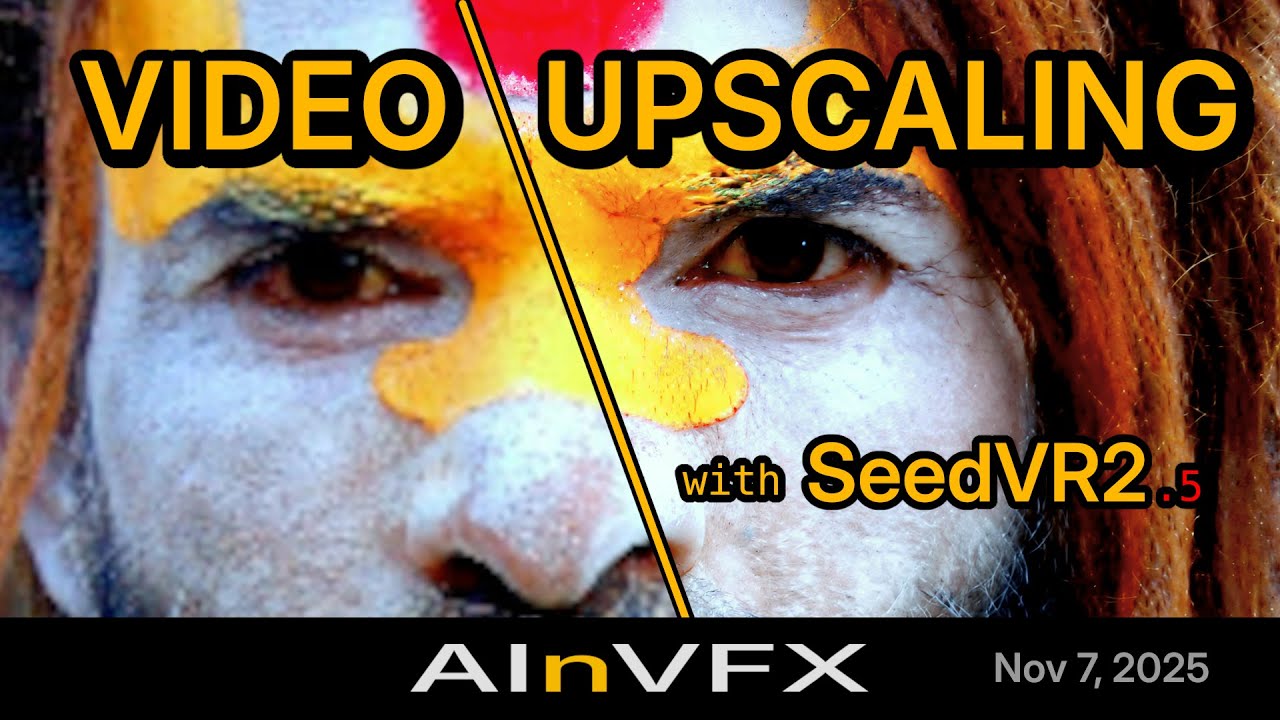
⚠️ **BREAKING CHANGE**: This is a major update requiring workflow recreation. All nodes and CLI parameters have been redesigned for better usability and consistency. Watch the latest video from [AInVFX](https://www.youtube.com/@AInVFX) for a deep dive and check out the [usage](#-usage) section.
**📦 Official Release**: Now available on main branch with ComfyUI Manager support for easy installation and automatic version tracking. Updated dependencies and local imports prevent conflicts with other ComfyUI custom nodes.
### 🎨 ComfyUI Improvements
- **Four-Node Modular Architecture**: Split into dedicated nodes for DiT model, VAE model, torch.compile settings, and main upscaler for granular control
- **Global Model Cache**: Models now shared across multiple upscaler instances with automatic config updates - no more redundant loading
- **ComfyUI V3 Migration**: Full compatibility with ComfyUI V3 stateless node design
- **RGBA Support**: Native alpha channel processing with edge-guided upscaling for clean transparency
- **Improved Memory Management**: Streaming architecture prevents VRAM spikes regardless of video length
- **Flexible Resolution Support**: Upscale to any resolution divisible by 2 with lossless padding approach (replaced restrictive cropping)
- **Enhanced Parameters**: Added `uniform_batch_size`, `temporal_overlap`, `prepend_frames`, and `max_resolution` for better control
### 🖥️ CLI Enhancements
- **Batch Directory Processing**: Process entire folders of videos/images with model caching for efficiency
- **Single Image Support**: Direct image upscaling without video conversion
- **Smart Output Detection**: Auto-detects output format (MP4/PNG) based on input type
- **Enhanced Multi-GPU**: Improved workload distribution with temporal overlap blending
- **Unified Parameters**: CLI and ComfyUI now use identical parameter names for consistency
- **Better UX**: Auto-display help, validation improvements, progress tracking, and cleaner output
### ⚡ Performance & Optimization
- **torch.compile Support**: 20-40% DiT speedup and 15-25% VAE speedup with full graph compilation
- **Optimized BlockSwap**: Adaptive memory clearing (5% threshold), separate I/O component handling, reduced overhead
- **Enhanced VAE Tiling**: Tensor offload support for accumulation buffers, separate encode/decode configuration
- **Native Dtype Pipeline**: Eliminated unnecessary conversions, maintains bfloat16 precision throughout for speed and quality
- **Optimized Tensor Operations**: Replaced einops rearrange with native PyTorch ops for 2-5x faster transforms
### 🎯 Quality Improvements
- **LAB Color Correction**: New perceptual color transfer method with superior color accuracy (now default)
- **Additional Color Methods**: HSV saturation matching, wavelet adaptive, and hybrid approaches
- **Deterministic Generation**: Seed-based reproducibility with phase-specific seeding strategy
- **Better Temporal Consistency**: Hann window blending for smooth transitions between batches
### 💾 Memory Management
- **Smarter Offloading**: Independent device configuration for DiT, VAE, and tensors (CPU/GPU/none)
- **Four-Phase Pipeline**: Completes each phase (encode→upscale→decode→postprocess) for all batches before moving to next, minimizing model swaps
- **Better Cleanup**: Phase-specific resource management with proper tensor memory release
- **Peak VRAM Tracking**: Per-phase memory monitoring with summary display
### 🔧 Technical Improvements
- **GGUF Quantization Support**: Added full GGUF support for 4-bit/8-bit inference on low-VRAM systems
- **Improved GGUF Handling**: Fixed VRAM leaks, torch.compile compatibility, non-persistent buffers
- **Apple Silicon Support**: Full MPS (Metal Performance Shaders) support for Apple Silicon Macs
- **AMD ROCm Compatibility**: Conditional FSDP imports for PyTorch ROCm 7+ support
- **Conv3d Memory Workaround**: Fixes PyTorch 2.9+ cuDNN memory bug (3x usage reduction)
- **Flash Attention Optional**: Graceful fallback to SDPA when flash-attn unavailable
### 📚 Code Quality
- **Modular Architecture**: Split monolithic files into focused modules (generation_phases, model_configuration, etc.)
- **Comprehensive Documentation**: Extensive docstrings with type hints across all modules
- **Better Error Handling**: Early validation, clear error messages, installation instructions
- **Consistent Logging**: Unified indentation, better categorization, concise messages
**2025.08.07**
- 🎯 **Unified Debug System**: New structured logging with categories, timers, and memory tracking. `enable_debug` now available on main node
- ⚡ **Smart FP8 Optimization**: FP8 models now keep native FP8 storage, converting to BFloat16 only for arithmetic - faster and more memory efficient than FP16
- 📦 **Model Registry**: Multi-repo support (numz/ & AInVFX/), auto-discovery of user models, added mixed FP8 variants to fix 7B artifacts
- 💾 **Model Caching**: `cache_model` moved to main node, fixed memory leaks with proper RoPE/wrapper cleanup
- 🧹 **Code Cleanup**: New modular structure (`constants.py`, `model_registry.py`, `debug.py`), removed legacy code
- 🚀 **Performance**: Better memory management with `torch.cuda.ipc_collect()`, improved RoPE handling
**2025.07.17**
- 🛠️ Add 7B sharp Models: add 2 new 7B models with sharpen output
**2025.07.11**
- 🎬 Complete tutorial released: Adrien from [AInVFX](https://www.youtube.com/@AInVFX) created an in-depth ComfyUI SeedVR2 guide covering everything from basic setup to advanced BlockSwap techniques for running on consumer GPUs. Perfect for understanding memory optimization and upscaling of image sequences with alpha channel! [Watch the tutorial](#-usage)
**2025.09.07**
- 🛠️ Blockswap Integration: Big thanks to [Adrien Toupet](https://github.com/adrientoupet) from [AInVFX](https://www.youtube.com/@AInVFX) for this :), useful for low VRAM users (see [usage](#-usage) section)
**2025.07.03**
- 🛠️ Can run as **standalone mode** with **Multi GPU** see [🖥️ Run as Standalone](#️-run-as-standalone-cli)
**2025.06.30**
- 🚀 Speed Up the process and less VRAM used
- 🛠️ Fixed memory leak on 3B models
- ❌ Can now interrupt process if needed
- ✅ Refactored the code for better sharing with the community, feel free to propose pull requests
- 🛠️ Removed flash attention dependency (thanks to [luke2642](https://github.com/Luke2642) !!)
**2025.06.24**
- 🚀 Speed up the process until x4
**2025.06.22**
- 💪 FP8 compatibility !
- 🚀 Speed Up all Process
- 🚀 less VRAM consumption (Stay high, batch_size=1 for RTX4090 max, I'm trying to fix that)
- 🛠️ Better benchmark coming soon
**2025.06.20**
- 🛠️ Initial push
## 🎯 Features
### Core Capabilities
- **High-Quality Diffusion-Based Upscaling**: One-step diffusion model for video and image enhancement
- **Temporal Consistency**: Maintains coherence across video frames with configurable batch processing
- **Multi-Format Support**: Handles RGB and RGBA (alpha channel) for both videos and images
- **Any Video Length**: Suitable for any video length
### Model Support
- **Multiple Model Variants**: 3B and 7B parameter models with different precision options
- **FP16, FP8, and GGUF Quantization**: Choose between full precision (FP16), mixed precision (FP8), or heavily quantized GGUF models for different VRAM requirements
- **Automatic Model Downloads**: Models are automatically downloaded from HuggingFace on first use
### Memory Optimization
- **BlockSwap Technology**: Dynamically swap transformer blocks between GPU and CPU memory to run large models on limited VRAM
- **VAE Tiling**: Process large resolutions with tiled encoding/decoding to reduce VRAM usage
- **Intelligent Offloading**: Offload models and intermediate tensors to CPU or secondary GPUs between processing phases
- **GGUF Quantization Support**: Run models with 4-bit or 8-bit quantization for extreme VRAM savings
### Performance Features
- **torch.compile Integration**: Optional 20-40% DiT speedup and 15-25% VAE speedup with PyTorch 2.0+ compilation
- **Multi-GPU CLI**: Distribute workload across multiple GPUs with automatic temporal overlap blending
- **Model Caching**: Keep models loaded in memory for faster batch processing
- **Flexible Attention Backends**: Choose between PyTorch SDPA (stable, always available) or Flash Attention 2 (faster on supported hardware)
### Quality Control
- **Advanced Color Correction**: Five methods including LAB (recommended for highest fidelity), wavelet, wavelet adaptive, HSV, and AdaIN
- **Noise Injection Controls**: Fine-tune input and latent noise scales for artifact reduction at high resolutions
- **Configurable Resolution Limits**: Set target and maximum resolutions with automatic aspect ratio preservation
### Workflow Features
- **ComfyUI Integration**: Four dedicated nodes for complete control over the upscaling pipeline
- **Standalone CLI**: Command-line interface for batch processing and automation
- **Debug Logging**: Comprehensive debug mode with memory tracking, timing information, and processing details
- **Progress Reporting**: Real-time progress updates during processing
## 🔧 Requirements
### Hardware
With the current optimizations (tiling, BlockSwap, GGUF quantization), SeedVR2 can run on a wide range of hardware:
- **Minimal VRAM** (8GB or less): Use GGUF Q4_K_M models with BlockSwap and VAE tiling enabled
- **Moderate VRAM** (12-16GB): Use FP8 models with BlockSwap or VAE tiling as needed
- **High VRAM** (24GB+): Use FP16 models for best quality and speed without memory optimizations
### Software
- **ComfyUI**: Latest version recommended
- **Python**: 3.12+ (Python 3.12 and 3.13 tested and recommended)
- **PyTorch**: 2.0+ for torch.compile support (optional but recommended)
- **Triton**: Required for torch.compile with inductor backend (optional)
- **Flash Attention 2**: Provides faster attention computation on supported hardware (optional, falls back to PyTorch SDPA)
## 📦 Installation
### Option 1: ComfyUI Manager (Recommended)
1. Open ComfyUI Manager in your ComfyUI interface
2. Click "Custom Nodes Manager"
3. Search for "ComfyUI-SeedVR2_VideoUpscaler"
4. Click "Install" and restart ComfyUI
**Registry Link**: [ComfyUI Registry - SeedVR2 Video Upscaler](https://registry.comfy.org/nodes/seedvr2_videoupscaler)
### Option 2: Manual Installation
1. **Clone the repository** into your ComfyUI custom nodes directory:
```bash
cd ComfyUI
git clone https://github.com/numz/ComfyUI-SeedVR2_VideoUpscaler.git custom_nodes/seedvr2_videoupscaler
```
2. **Install dependencies using standalone Python**:
```bash
# Install requirements (from same ComfyUI directory)
# Windows:
.venv\Scripts\python.exe -m pip install -r custom_nodes\seedvr2_videoupscaler\requirements.txt
# Linux/macOS:
.venv/bin/python -m pip install -r custom_nodes/seedvr2_videoupscaler/requirements.txt
```
3. **Restart ComfyUI**
### Model Installation
Models will be **automatically downloaded** on first use and saved to `ComfyUI/models/SEEDVR2`.
You can also manually download models from:
- Main models available at [numz/SeedVR2_comfyUI](https://huggingface.co/numz/SeedVR2_comfyUI/tree/main) and [AInVFX/SeedVR2_comfyUI](https://huggingface.co/AInVFX/SeedVR2_comfyUI/tree/main)
- Additional GGUF models available at [cmeka/SeedVR2-GGUF](https://huggingface.co/cmeka/SeedVR2-GGUF/tree/main)
## 📖 Usage
### 🎬 Video Tutorials
#### Latest Version Deep Dive (Recommended)
Complete walkthrough of version 2.5 by Adrien from [AInVFX](https://www.youtube.com/@AInVFX), covering the new 4-node architecture, GGUF support, memory optimizations, and production workflows:
[](https://youtu.be/MBtWYXq_r60)
This comprehensive tutorial covers:
- Installing v2.5 through ComfyUI Manager and troubleshooting conflicts
- Understanding the new 4-node modular architecture and why we rebuilt it
- Running 7B models on 8GB VRAM with GGUF quantization
- Configuring BlockSwap, VAE tiling, and torch.compile for your hardware
- Image and video upscaling workflows with alpha channel support
- CLI for batch processing and multi-GPU rendering
- Memory optimization strategies for different VRAM levels
- Real production tips and the critical batch_size formula (4n+1)
#### Previous Version Tutorial
For reference, here's the original tutorial covering the initial release:
[](https://youtu.be/I0sl45GMqNg)
*Note: This tutorial covers the previous single-node architecture. While the UI has changed significantly in v2.5, the core concepts about BlockSwap and memory management remain valuable.*
### Node Setup
SeedVR2 uses a modular node architecture with four specialized nodes:
#### 1. SeedVR2 (Down)Load DiT Model

Configure the DiT (Diffusion Transformer) model for video upscaling.
**Parameters:**
- **model**: Choose your DiT model
- **3B Models**: Faster, lower VRAM requirements
- `seedvr2_ema_3b_fp16.safetensors`: FP16 (best quality)
- `seedvr2_ema_3b_fp8_e4m3fn.safetensors`: FP8 8-bit (good quality)
- `seedvr2_ema_3b-Q4_K_M.gguf`: GGUF 4-bit quantized (acceptable quality)
- `seedvr2_ema_3b-Q8_0.gguf`: GGUF 8-bit quantized (good quality)
- **7B Models**: Higher quality, higher VRAM requirements
- `seedvr2_ema_7b_fp16.safetensors`: FP16 (best quality)
- `seedvr2_ema_7b_fp8_e4m3fn_mixed_block35_fp16.safetensors`: FP8 with last block in FP16 to reduce artifacts (good quality)
- `seedvr2_ema_7b-Q4_K_M.gguf`: GGUF 4-bit quantized (acceptable quality)
- `seedvr2_ema_7b_sharp_*`: Sharp variants for enhanced detail
- **device**: GPU device for DiT inference (e.g., `cuda:0`)
- **offload_device**: Device to offload DiT model when not actively processing
- `none`: Keep model on inference device (fastest, highest VRAM)
- `cpu`: Offload to system RAM (reduces VRAM)
- `cuda:X`: Offload to another GPU (good balance if available)
- **cache_model**: Keep DiT model loaded on offload_device between workflow runs
- Useful for batch processing to avoid repeated loading
- Requires offload_device to be set
- **blocks_to_swap**: BlockSwap memory optimization
- `0`: Disabled (default)
- `1-32`: Number of transformer blocks to swap for 3B model
- `1-36`: Number of transformer blocks to swap for 7B model
- Higher values = more VRAM savings but slower processing
- Requires offload_device to be set and different from device
- **swap_io_components**: Offload input/output embeddings and normalization layers
- Additional VRAM savings when combined with blocks_to_swap
- Requires offload_device to be set and different from device
- **attention_mode**: Attention computation backend
- `sdpa`: PyTorch scaled_dot_product_attention (default, stable, always available)
- `flash_attn`: Flash Attention 2 (faster on supported hardware, requires flash-attn package)
- **torch_compile_args**: Connect to SeedVR2 Torch Compile Settings node for 20-40% speedup
**BlockSwap Explained:**
BlockSwap enables running large models on GPUs with limited VRAM by dynamically swapping transformer blocks between GPU and CPU memory during inference. Here's how it works:
- **What it does**: Keeps only the currently-needed transformer blocks on the GPU, while storing the rest on CPU or another device
- **When to use it**: When you get OOM (Out of Memory) errors during the upscaling phase
- **How to configure**:
1. Set `offload_device` to `cpu` or another GPU
2. Start with `blocks_to_swap=16` (half the blocks)
3. If still getting OOM, increase to 24 or 32 (3B) / 36 (7B)
4. Enable `swap_io_components` for maximum VRAM savings
5. If you have plenty of VRAM, decrease or set to 0 for faster processing
**Example Configuration for Low VRAM (8GB)**:
- model: `seedvr2_ema_3b-Q8_0.gguf`
- device: `cuda:0`
- offload_device: `cpu`
- blocks_to_swap: `32`
- swap_io_components: `True`
#### 2. SeedVR2 (Down)Load VAE Model

Configure the VAE (Variational Autoencoder) model for encoding/decoding video frames.
**Parameters:**
- **model**: VAE model selection
- `ema_vae_fp16.safetensors`: Default and recommended
- **device**: GPU device for VAE inference (e.g., `cuda:0`)
- **offload_device**: Device to offload VAE model when not actively processing
- `none`: Keep model on inference device (default, fastest)
- `cpu`: Offload to system RAM (reduces VRAM)
- `cuda:X`: Offload to another GPU (good balance if available)
- **cache_model**: Keep VAE model loaded on offload_device between workflow runs
- Requires offload_device to be set
- **encode_tiled**: Enable tiled encoding to reduce VRAM usage during encoding phase
- Enable if you see OOM errors during the "Encoding" phase in debug logs
- **encode_tile_size**: Encoding tile size in pixels (default: 1024)
- Applied to both height and width
- Lower values reduce VRAM but may increase processing time
- **encode_tile_overlap**: Encoding tile overlap in pixels (default: 128)
- Reduces visible seams between tiles
- **decode_tiled**: Enable tiled decoding to reduce VRAM usage during decoding phase
- Enable if you see OOM errors during the "Decoding" phase in debug logs
- **decode_tile_size**: Decoding tile size in pixels (default: 1024)
- **decode_tile_overlap**: Decoding tile overlap in pixels (default: 128)
- **torch_compile_args**: Connect to SeedVR2 Torch Compile Settings node for 15-25% speedup
**VAE Tiling Explained:**
VAE tiling processes large resolutions in smaller tiles to reduce VRAM requirements. Here's how to use it:
1. **Run without tiling first** and monitor the debug logs (enable `enable_debug` on main node)
2. **If OOM during "Encoding" phase**:
- Enable `encode_tiled`
- If still OOM, reduce `encode_tile_size` (try 768, 512, etc.)
3. **If OOM during "Decoding" phase**:
- Enable `decode_tiled`
- If still OOM, reduce `decode_tile_size`
4. **Adjust overlap** (default 128) if you see visible seams in output (increase it) or processing times are too slow (decrease it).
**Example Configuration for High Resolution (4K)**:
- encode_tiled: `True`
- encode_tile_size: `1024`
- encode_tile_overlap: `128`
- decode_tiled: `True`
- decode_tile_size: `1024`
- decode_tile_overlap: `128`
#### 3. SeedVR2 Torch Compile Settings (Optional)

Configure torch.compile optimization for 20-40% DiT speedup and 15-25% VAE speedup.
**Requirements:**
- PyTorch 2.0+
- Triton (for inductor backend)
**Parameters:**
- **backend**: Compilation backend
- `inductor`: Full optimization with Triton kernel generation and fusion (recommended)
- `cudagraphs`: Lightweight wrapper using CUDA graphs, no kernel optimization
- **mode**: Optimization level (compilation time vs runtime performance)
- `default`: Fast compilation with good speedup (recommended for development)
- `reduce-overhead`: Lower overhead, optimized for smaller models
- `max-autotune`: Slowest compilation, best runtime performance (recommended for production)
- `max-autotune-no-cudagraphs`: Like max-autotune but without CUDA graphs
- **fullgraph**: Compile entire model as single graph without breaks
- `False`: Allow graph breaks for better compatibility (default, recommended)
- `True`: Enforce no breaks for maximum optimization (may fail with dynamic shapes)
- **dynamic**: Handle varying input shapes without recompilation
- `False`: Specialize for exact input shapes (default)
- `True`: Create dynamic kernels that adapt to shape variations (enable when processing different resolutions or batch sizes)
- **dynamo_cache_size_limit**: Max cached compiled versions per function (default: 64)
- Higher = more memory, lower = more recompilation
- **dynamo_recompile_limit**: Max recompilation attempts before falling back to eager mode (default: 128)
- Safety limit to prevent compilation loops
**Usage:**
1. Add this node to your workflow
2. Connect its output to the `torch_compile_args` input of DiT and/or VAE loader nodes
3. First run will be slow (compilation), subsequent runs will be much faster
**When to use:**
- torch.compile only makes sense when processing **multiple batches, long videos, or many tiles**
- For single images or short clips, the compilation time outweighs the speed improvement
- Best suited for batch processing workflows or long videos
**Recommended Settings:**
- For development/testing: `mode=default`, `backend=inductor`, `fullgraph=False`
- For production: `mode=max-autotune`, `backend=inductor`, `fullgraph=False`
#### 4. SeedVR2 Video Upscaler (Main Node)

Main upscaling node that processes video frames using DiT and VAE models.
**Required Inputs:**
- **image**: Input video frames as image batch (RGB or RGBA format)
- **dit**: DiT model configuration from SeedVR2 (Down)Load DiT Model node
- **vae**: VAE model configuration from SeedVR2 (Down)Load VAE Model node
**Parameters:**
- **seed**: Random seed for reproducible generation (default: 42)
- Same seed with same inputs produces identical output
- **resolution**: Target resolution for shortest edge in pixels (default: 1080)
- Maintains aspect ratio automatically
- **max_resolution**: Maximum resolution for any edge (default: 0 = no limit)
- Automatically scales down if exceeded to prevent OOM
- **batch_size**: Frames per batch (default: 5)
- **CRITICAL REQUIREMENT**: Must follow the **4n+1 formula** (1, 5, 9, 13, 17, 21, 25, ...)
- **Why this matters**: The model uses these frames for temporal consistency calculations
- **Minimum 5 for temporal consistency**: Use 1 only for single images or when temporal consistency isn't needed
- **Match shot length ideally**: For best results, set batch_size to match your shot length (e.g., batch_size=21 for a 20-frame shot)
- **VRAM impact**: Higher batch_size = better quality and speed but requires more VRAM
- **If you get OOM with batch_size=5**: Try optimization techniques first (model offloading, BlockSwap, GGUF models...) before reducing batch_size or input resolution, as these directly impact quality
**uniform_batch_size** (default: False)
- Pads the final batch to match `batch_size` for uniform processing
- Prevents temporal artifacts when the last batch is significantly smaller than others
- Example: 45 frames with `batch_size=33` creates [33, 33] instead of [33, 12]
- Recommended when using large batch sizes and video length is not a multiple of `batch_size`
- Increases VRAM usage slightly but ensures consistent temporal coherence across all batches
- **temporal_overlap**: Overlapping frames between batches (default: 0)
- Used for blending between batches to reduce temporal artifacts
- Range: 0-16 frames
- **prepend_frames**: Frames to prepend (default: 0)
- Prepends reversed frames to reduce artifacts at video start
- Automatically removed after processing
- Range: 0-32 frames
- **color_correction**: Color correction method (default: "wavelet")
- **`lab`**: Full perceptual color matching with detail preservation (recommended for highest fidelity to original)
- **`wavelet`**: Frequency-based natural colors, preserves details well
- **`wavelet_adaptive`**: Wavelet base + targeted saturation correction
- **`hsv`**: Hue-conditional saturation matching
- **`adain`**: Statistical style transfer
- **`none`**: No color correction
- **input_noise_scale**: Input noise injection scale 0.0-1.0 (default: 0.0)
- Adds noise to input frames to reduce artifacts at very high resolutions
- Try 0.1-0.3 if you see artifacts with high output resolutions
- **latent_noise_scale**: Latent space noise scale 0.0-1.0 (default: 0.0)
- Adds noise during diffusion process, can soften excessive detail
- Use if input_noise doesn't help, try 0.05-0.15
- **offload_device**: Device for storing intermediate tensors between processing phases (default: "cpu")
- `none`: Keep all tensors on inference device (fastest but highest VRAM)
- `cpu`: Offload to system RAM (recommended for long videos, slower transfers)
- `cuda:X`: Offload to another GPU (good balance if available, faster than CPU)
- **enable_debug**: Enable detailed debug logging (default: False)
- Shows memory usage, timing information, and processing details
- **Highly recommended** for troubleshooting OOM issues
**Output:**
- Upscaled video frames with color correction applied
- Format (RGB/RGBA) matches input
- Range [0, 1] normalized for ComfyUI compatibility
### Typical Workflow Setup
**Basic Workflow (High VRAM - 24GB+)**:
```
Load Video Frames
↓
SeedVR2 Load DiT Model
├─ model: seedvr2_ema_3b_fp16.safetensors
└─ device: cuda:0
↓
SeedVR2 Load VAE Model
├─ model: ema_vae_fp16.safetensors
└─ device: cuda:0
↓
SeedVR2 Video Upscaler
├─ batch_size: 21
└─ resolution: 1080
↓
Save Video/Frames
```
**Low VRAM Workflow (8-12GB)**:
```
Load Video Frames
↓
SeedVR2 Load DiT Model
├─ model: seedvr2_ema_3b-Q8_0.gguf
├─ device: cuda:0
├─ offload_device: cpu
├─ blocks_to_swap: 32
└─ swap_io_components: True
↓
SeedVR2 Load VAE Model
├─ model: ema_vae_fp16.safetensors
├─ device: cuda:0
├─ encode_tiled: True
└─ decode_tiled: True
↓
SeedVR2 Video Upscaler
├─ batch_size: 5
└─ resolution: 720
↓
Save Video/Frames
```
**High Performance Workflow (24GB+ with torch.compile)**:
```
Load Video Frames
↓
SeedVR2 Torch Compile Settings
├─ mode: max-autotune
└─ backend: inductor
↓
SeedVR2 Load DiT Model
├─ model: seedvr2_ema_7b_sharp_fp16.safetensors
├─ device: cuda:0
└─ torch_compile_args: connected
↓
SeedVR2 Load VAE Model
├─ model: ema_vae_fp16.safetensors
├─ device: cuda:0
└─ torch_compile_args: connected
↓
SeedVR2 Video Upscaler
├─ batch_size: 81
└─ resolution: 1080
↓
Save Video/Frames
```
## 🖥️ Run as Standalone (CLI)
The standalone CLI provides powerful batch processing capabilities with multi-GPU support and sophisticated optimization options.
### Prerequisites
Choose the appropriate setup based on your installation:
#### Option 1: Already Have ComfyUI with SeedVR2 Installed
If you've already installed SeedVR2 as part of ComfyUI (via [ComfyUI installation](#-installation)), you can use the CLI directly:
```bash
# Navigate to your ComfyUI directory
cd ComfyUI
# Run the CLI using standalone Python (display help message)
# Windows:
.venv\Scripts\python.exe custom_nodes\seedvr2_videoupscaler\inference_cli.py --help
# Linux/macOS:
.venv/bin/python custom_nodes/seedvr2_videoupscaler/inference_cli.py --help
```
**Skip to [Command Line Usage](#command-line-usage) below.**
#### Option 2: Standalone Installation (Without ComfyUI)
If you want to use the CLI without ComfyUI installation, follow these steps:
1. **Install [uv](https://docs.astral.sh/uv/getting-started/installation/)** (modern Python package manager):
```bash
# Windows
powershell -ExecutionPolicy ByPass -c "irm https://astral.sh/uv/install.ps1 | iex"
# macOS and Linux
curl -LsSf https://astral.sh/uv/install.sh | sh
```
2. **Clone the repository**:
```bash
git clone https://github.com/numz/ComfyUI-SeedVR2_VideoUpscaler.git seedvr2_videoupscaler
cd seedvr2_videoupscaler
```
3. **Create virtual environment and install dependencies**:
```bash
# Create virtual environment with Python 3.13
uv venv --python 3.13
# Activate virtual environment
# Windows:
.venv\Scripts\activate
# Linux/macOS:
source .venv/bin/activate
# Install PyTorch with CUDA support
# Check command line based on your environment: https://pytorch.org/get-started/locally/
uv pip install --pre torch torchvision torchaudio --index-url https://download.pytorch.org/whl/nightly/cu130
# Install SeedVR2 requirements
uv pip install -r requirements.txt
# Run the CLI (display help message)
# Windows:
.venv\Scripts\python.exe inference_cli.py --help
# Linux/macOS:
.venv/bin/python inference_cli.py --help
```
### Command Line Usage
The CLI provides comprehensive options for single-GPU, multi-GPU, and batch processing workflows.
**Basic Usage Examples:**
```bash
# Basic image upscaling
python inference_cli.py image.jpg
# Basic video video upscaling with temporal consistency
python inference_cli.py video.mp4 --resolution 720 --batch_size 33
# Multi-GPU processing with temporal overlap
python inference_cli.py video.mp4 \
--cuda_device 0,1 \
--resolution 1080 \
--batch_size 81 \
--uniform_batch_size \
--temporal_overlap 3 \
--prepend_frames 4
# Memory-optimized for low VRAM (8GB)
python inference_cli.py image.png \
--dit_model seedvr2_ema_3b-Q8_0.gguf \
--resolution 1080 \
--blocks_to_swap 32 \
--swap_io_components \
--dit_offload_device cpu \
--vae_offload_device cpu
# High resolution with VAE tiling
python inference_cli.py video.mp4 \
--resolution 1440 \
--batch_size 31 \
--uniform_batch_size \
--temporal_overlap 3 \
--vae_encode_tiled \
--vae_decode_tiled
# Batch directory processing with model caching
python inference_cli.py media_folder/ \
--output processed/ \
--cuda_device 0 \
--cache_dit \
--cache_vae \
--dit_offload_device cpu \
--vae_offload_device cpu \
--resolution 1080 \
--max_resolution 1920
```
### Command Line Arguments
**Input/Output:**
- `<input>`: Input file (.mp4, .avi, .png, .jpg, etc.) or directory
- `--output`: Output path (default: auto-generated in 'output/' directory)
- `--output_format`: Output format: 'mp4' (video) or 'png' (image sequence). Default: auto-detect from input type
- `--model_dir`: Model directory (default: ./models/SEEDVR2)
**Model Selection:**
- `--dit_model`: DiT model to use. Options: 3B/7B with fp16/fp8/GGUF variants (default: 3B FP8)
**Processing Parameters:**
- `--resolution`: Target short-side resolution in pixels (default: 1080)
- `--max_resolution`: Maximum resolution for any edge. Scales down if exceeded. 0 = no limit (default: 0)
- `--batch_size`: Frames per batch (must follow 4n+1: 1, 5, 9, 13, 17, 21...). Ideally matches shot length for best temporal consistency (default: 5)
- `--seed`: Random seed for reproducibility (default: 42)
- `--skip_first_frames`: Skip N initial frames (default: 0)
- `--load_cap`: Load maximum N frames from video. 0 = load all (default: 0)
- `--prepend_frames`: Prepend N reversed frames to reduce start artifacts (auto-removed) (default: 0)
- `--temporal_overlap`: Frames to overlap between batches/GPUs for smooth blending (default: 0)
**Quality Control:**
- `--color_correction`: Color correction method: 'lab' (perceptual, recommended), 'wavelet', 'wavelet_adaptive', 'hsv', 'adain', or 'none' (default: lab)
- `--input_noise_scale`: Input noise injection scale (0.0-1.0). Reduces artifacts at high resolutions (default: 0.0)
- `--latent_noise_scale`: Latent space noise scale (0.0-1.0). Softens details if needed (default: 0.0)
**Memory Management:**
- `--dit_offload_device`: Device to offload DiT model: 'none' (keep on GPU), 'cpu', or 'cuda:X' (default: none)
- `--vae_offload_device`: Device to offload VAE model: 'none', 'cpu', or 'cuda:X' (default: none)
- `--blocks_to_swap`: Number of transformer blocks to swap (0=disabled, 3B: 0-32, 7B: 0-36). Requires dit_offload_device (default: 0)
- `--swap_io_components`: Offload I/O components for additional VRAM savings. Requires dit_offload_device
- `--use_non_blocking`: Use non-blocking memory transfers for BlockSwap (recommended)
**VAE Tiling:**
- `--vae_encode_tiled`: Enable VAE encode tiling to reduce VRAM during encoding
- `--vae_encode_tile_size`: VAE encode tile size in pixels (default: 1024)
- `--vae_encode_tile_overlap`: VAE encode tile overlap in pixels (default: 128)
- `--vae_decode_tiled`: Enable VAE decode tiling to reduce VRAM during decoding
- `--vae_decode_tile_size`: VAE decode tile size in pixels (default: 1024)
- `--vae_decode_tile_overlap`: VAE decode tile overlap in pixels (default: 128)
- `--tile_debug`: Visualize tiles: 'false' (default), 'encode', or 'decode'
**Performance Optimization:**
- `--attention_mode`: Attention backend: 'sdpa' (default, stable) or 'flash_attn' (faster, requires package)
- `--compile_dit`: Enable torch.compile for DiT model (20-40% speedup, requires PyTorch 2.0+ and Triton)
- `--compile_vae`: Enable torch.compile for VAE model (15-25% speedup, requires PyTorch 2.0+ and Triton)
- `--compile_backend`: Compilation backend: 'inductor' (full optimization) or 'cudagraphs' (lightweight) (default: inductor)
- `--compile_mode`: Optimization level: 'default', 'reduce-overhead', 'max-autotune', 'max-autotune-no-cudagraphs' (default: default)
- `--compile_fullgraph`: Compile entire model as single graph (faster but less flexible) (default: False)
- `--compile_dynamic`: Handle varying input shapes without recompilation (default: False)
- `--compile_dynamo_cache_size_limit`: Max cached compiled versions per function (default: 64)
- `--compile_dynamo_recompile_limit`: Max recompilation attempts before fallback (default: 128)
**Model Caching (batch processing):**
- `--cache_dit`: Cache DiT model between files (single GPU only, speeds up directory processing)
- `--cache_vae`: Cache VAE model between files (single GPU only, speeds up directory processing)
**Multi-GPU:**
- `--cuda_device`: CUDA device id(s). Single id (e.g., '0') or comma-separated list '0,1' for multi-GPU
**Debugging:**
- `--debug`: Enable verbose debug logging
### Multi-GPU Processing Explained
The CLI's multi-GPU mode automatically distributes the workload across multiple GPUs with intelligent temporal overlap handling:
**How it works:**
1. Video is split into chunks, one per GPU
2. Each GPU processes its chunk independently
3. Chunks overlap by `--temporal_overlap` frames
4. Results are blended together seamlessly using the overlap region
**Example for 2 GPUs with temporal_overlap=4:**
```
GPU 0: Frames 0-50 (includes 4 overlap frames at end)
GPU 1: Frames 46-100 (includes 4 overlap frames at beginning)
Result: Frames 0-100 with smooth transition at frame 48
```
**Best practices:**
- Set `--temporal_overlap` to 2-8 frames for smooth blending
- Higher overlap = smoother transitions but more redundant processing
- Use `--prepend_frames` to reduce artifacts at video start
- batch_size should divide evenly into chunk sizes for best results
## ⚠️ Limitations
### Model Limitations
**Batch Size Constraint**: The model requires batch_size to follow the **4n+1 formula** (1, 5, 9, 13, 17, 21, 25, ...) due to temporal consistency architecture. All frames in a batch are processed together for temporal coherence, then batches can be blended using temporal_overlap. Ideally, set batch_size to match your shot length for optimal quality.
### Performance Considerations
**VAE Bottleneck**: Even with optimized DiT upscaling (BlockSwap, GGUF, torch.compile), the VAE encoding/decoding stages can be the bottleneck, especially for high resolutions. The VAE is slow. Use large batch_size to mitigate this.
**VRAM Usage**: While the integration now supports low VRAM systems (8GB or less with proper optimization), VRAM usage varies based on:
- Input/output resolution (larger = more VRAM)
- Batch size (higher = more VRAM but better temporal consistency and speed)
- Model choice (FP16 > FP8 > GGUF in VRAM usage)
- Optimization settings (BlockSwap, VAE tiling significantly reduce VRAM)
**Speed**: Processing speed depends on:
- GPU capabilities (compute performance, VRAM bandwidth, and architecture generation)
- Model size (3B faster than 7B)
- Batch size (larger batch sizes are faster per frame due to better GPU utilization)
- Optimization settings (torch.compile provides significant speedup)
- Resolution (higher resolutions are slower)
### Best Practices
1. **Start with debug enabled** to understand where VRAM is being used
2. **For OOM errors during encoding**: Enable VAE encode tiling and reduce tile size
3. **For OOM errors during upscaling**: Enable BlockSwap and increase blocks_to_swap
4. **For OOM errors during decoding**: Enable VAE decode tiling and reduce tile size
- **If still getting OOM after trying all above**: Reduce batch_size or resolution
5. **For best quality**: Use higher batch_size matching your shot length, FP16 models, and LAB color correction
6. **For speed**: Use FP8/GGUF models, enable torch.compile, and use Flash Attention if available
7. **Test settings with a short clip first** before processing long videos
## 🤝 Contributing
Contributions are welcome! We value community input and improvements.
For detailed contribution guidelines, see [CONTRIBUTING.md](CONTRIBUTING.md).
**Quick Start:**
1. Fork the repository
2. Create your feature branch (`git checkout -b feature/AmazingFeature`)
3. Commit your changes (`git commit -m 'Add some AmazingFeature'`)
4. Push to the branch (`git push origin feature/AmazingFeature`)
5. Open a Pull Request to **main** branch for stable features or **nightly** branch for experimental features
**Get Help:**
- YouTube: [AInVFX Channel](https://www.youtube.com/@AInVFX)
- GitHub [Issues](https://github.com/numz/ComfyUI-SeedVR2_VideoUpscaler/issues): For bug reports and feature requests
- GitHub [Discussions](https://github.com/numz/ComfyUI-SeedVR2_VideoUpscaler/discussions): For questions and community support
- Discord: adrientoupet & NumZ#7184
## 🙏 Credits
This ComfyUI implementation is a collaborative project by **[NumZ](https://github.com/numz)** and **[AInVFX](https://www.youtube.com/@AInVFX)** (Adrien Toupet), based on the original [SeedVR2](https://github.com/ByteDance-Seed/SeedVR) by ByteDance Seed Team.
Special thanks to our community contributors including [benjaminherb](https://github.com/benjaminherb), [cmeka](https://github.com/cmeka), [FurkanGozukara](https://github.com/FurkanGozukara), [JohnAlcatraz](https://github.com/JohnAlcatraz), [lihaoyun6](https://github.com/lihaoyun6), [Luchuanzhao](https://github.com/Luchuanzhao), [Luke2642](https://github.com/Luke2642), [naxci1](https://github.com/naxci1), [q5sys](https://github.com/q5sys), and many others for their improvements, bug fixes, and testing.
## 📜 License
The code in this repository is released under the MIT license as found in the [LICENSE](LICENSE) file. |